The platform
The front page makes the promise. This one shows the thing, in the screens you get after signing in: the sheet where the text grows and that saves as you write, a book's chapters in their place, and four ways to put a second AI on what you have written — 301 models from 45 houses on one balance, the price on the button before you press it, and the work leaving as a file.
How it is used
Four ways to put a second AI on what you have written.
Compare and Debate start from the box where you write. Switch and Review start from the row under each answer, which carries the marks of the other houses. None of them needs a second account, and every turn keeps its receipt: which model, how many credits.
01Compare
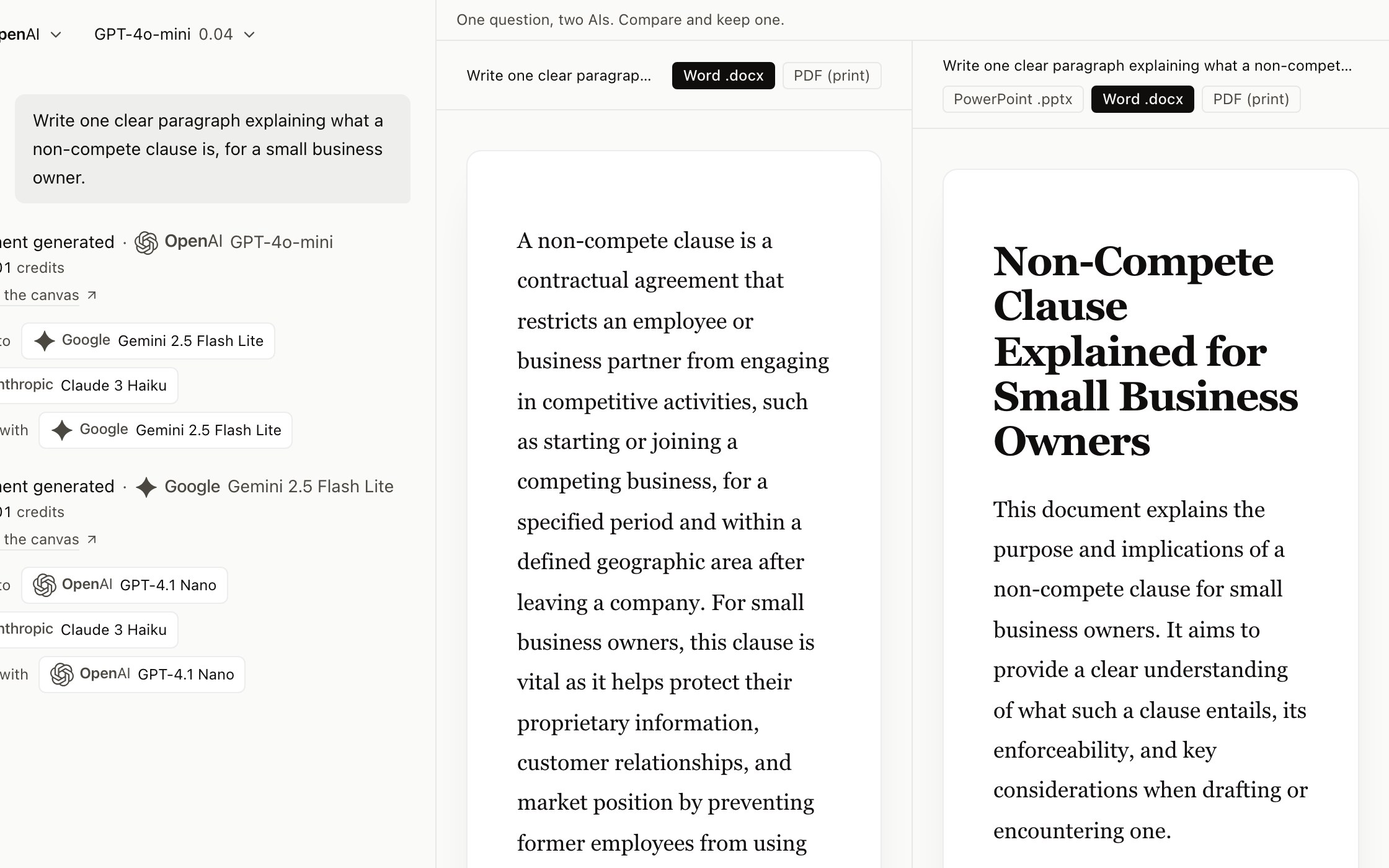
One question, two answers, side by side.
- 1Press “Compare two AIs”. The comparison screen opens and names the two seats: your current model on the left, a model from another house on the right. Change either one; if both are from the same house, the screen says they will agree more than a comparison needs.
- 2Send the question. Both answer at once, in two columns. Two answers are two turns, and the button showed the doubled price before you sent it.
- 3Read them and press “Keep” on the one that reads better. It becomes your document; the other one goes.
It works when you are starting a new document. With one already open, the button stays off until you start a new one.
02Debate
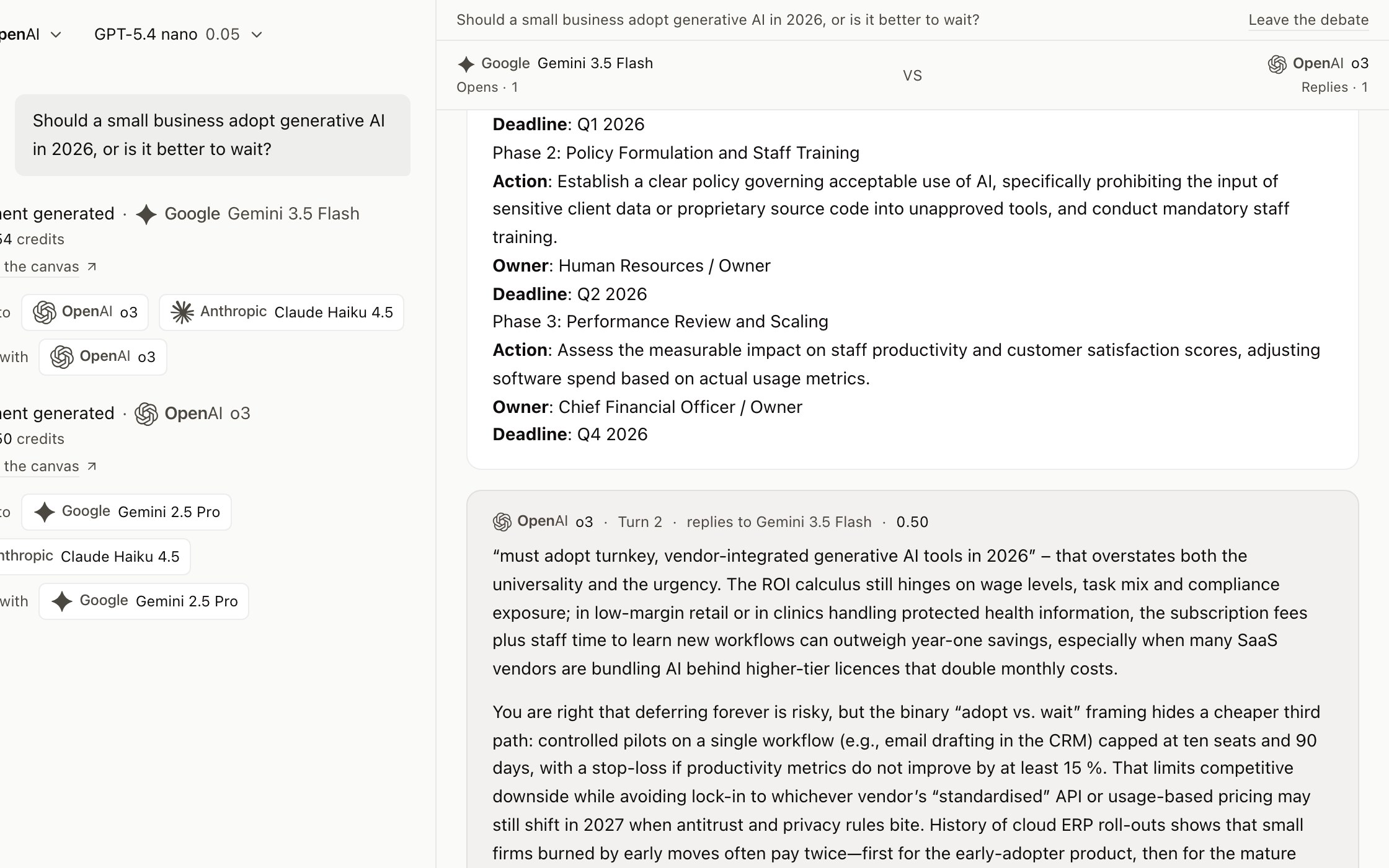
Two models argue it out, one turn at a time, and you get the thesis.
- 1Press “Debate”. Pick who opens and who replies — two houses, ideally: with two from the same house the screen warns they will agree more than a debate needs. Write the topic, the question or the text they should argue about.
- 2“Start the debate” opens only the first turn: the first model states its position, and its receipt shows what it cost.
- 3From there, one button: “Let <the other model> reply”, with the price of that turn on it. Later turns cost more than the first, because each one reads everything said so far, and the button says so before you press. Press it as many times as you like — there is no cap. Stop when you have heard enough.
- 4Once both have spoken, “Write the thesis document” is offered, priced too: a document with both positions, where they agree, where they differ and why, and the judgement. It lands on the canvas like any other document and leaves as a file.
You are not running an agent. You decide every turn, and every turn carries its price.
03Review
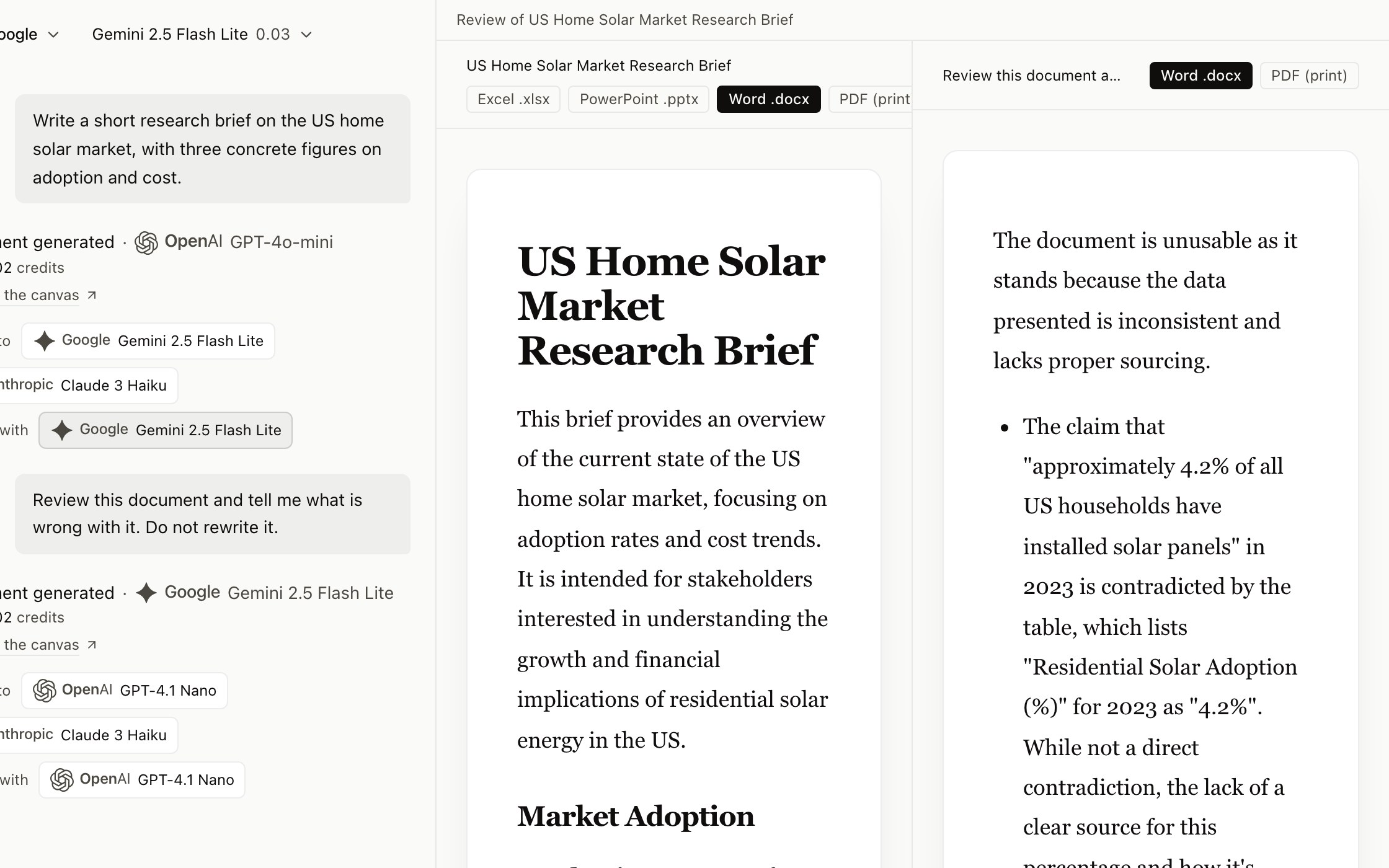
Let one model check the other one’s work.
- 1Under an answer, next to “Review with”, press the house shown there. It is always a different house from the one that wrote it: a model reviewing its own text repeats its own blind spots.
- 2You write nothing. The request is already made — review this document and say what is wrong with it, without rewriting it — and the review opens as its own piece of work.
- 3It opens beside the original: the original on the left, the review on the right, tabs on a phone. The original is not touched; you decide what to do with the diagnosis.
Reviewing never searches the web: what has to be checked is already in the document.
04Switch
Start with one model, continue with another, mid-document.
- 1Under any answer, next to “Switch to”, press one of the houses shown. The picker changes to that model, and the document stays where it was.
- 2The next request continues the same document with the new model: draft on a cheap one, hand the paragraph that matters to a better one.
- 3Each turn keeps its receipt — which model, how many credits — so the finished piece shows who wrote what.
Any of the 301 models in the catalogue, on any turn, from the same balance.
The canvas, and what leaves it
It opens clean, grows with you, saves itself, and leaves as the file you hand in.
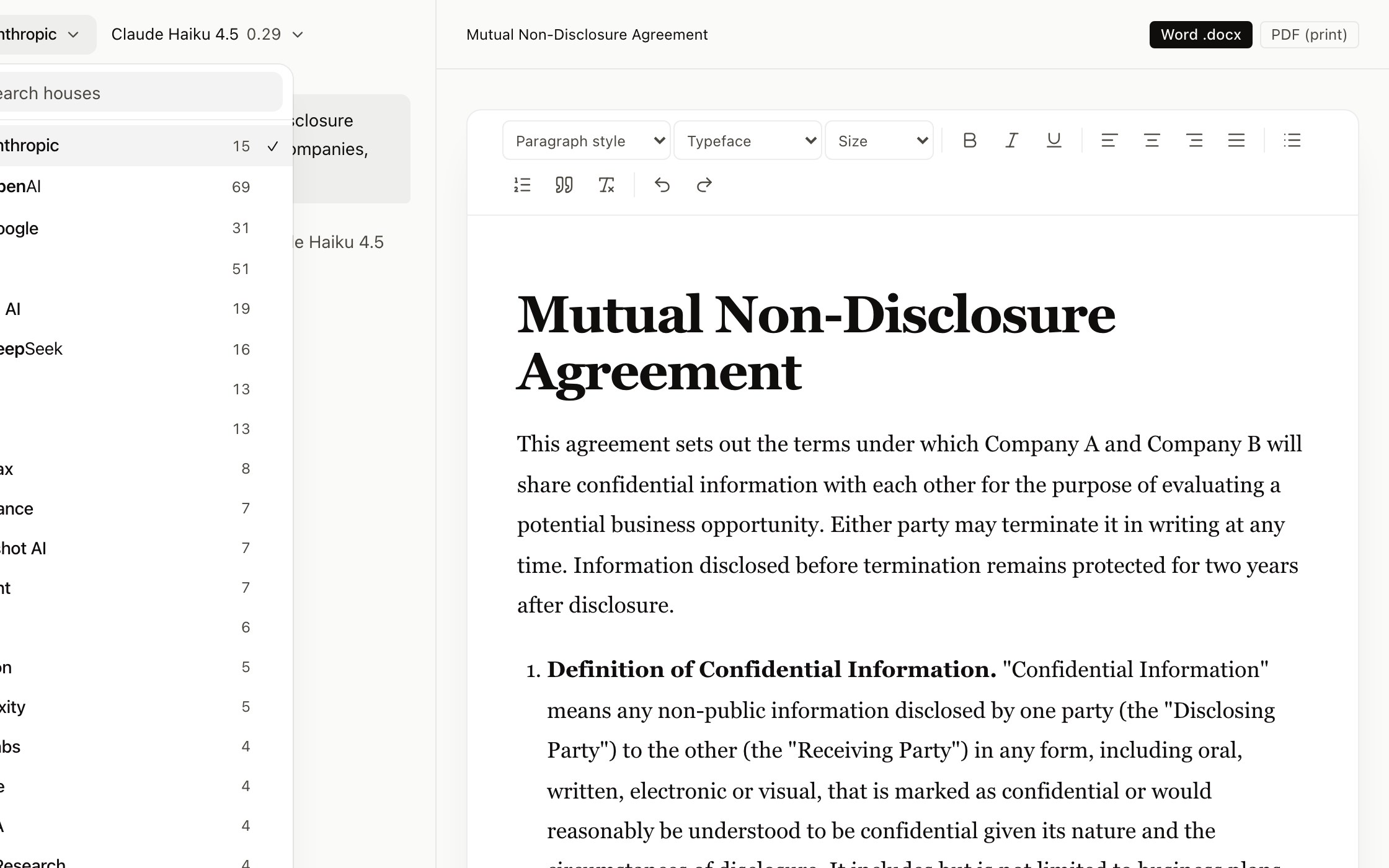
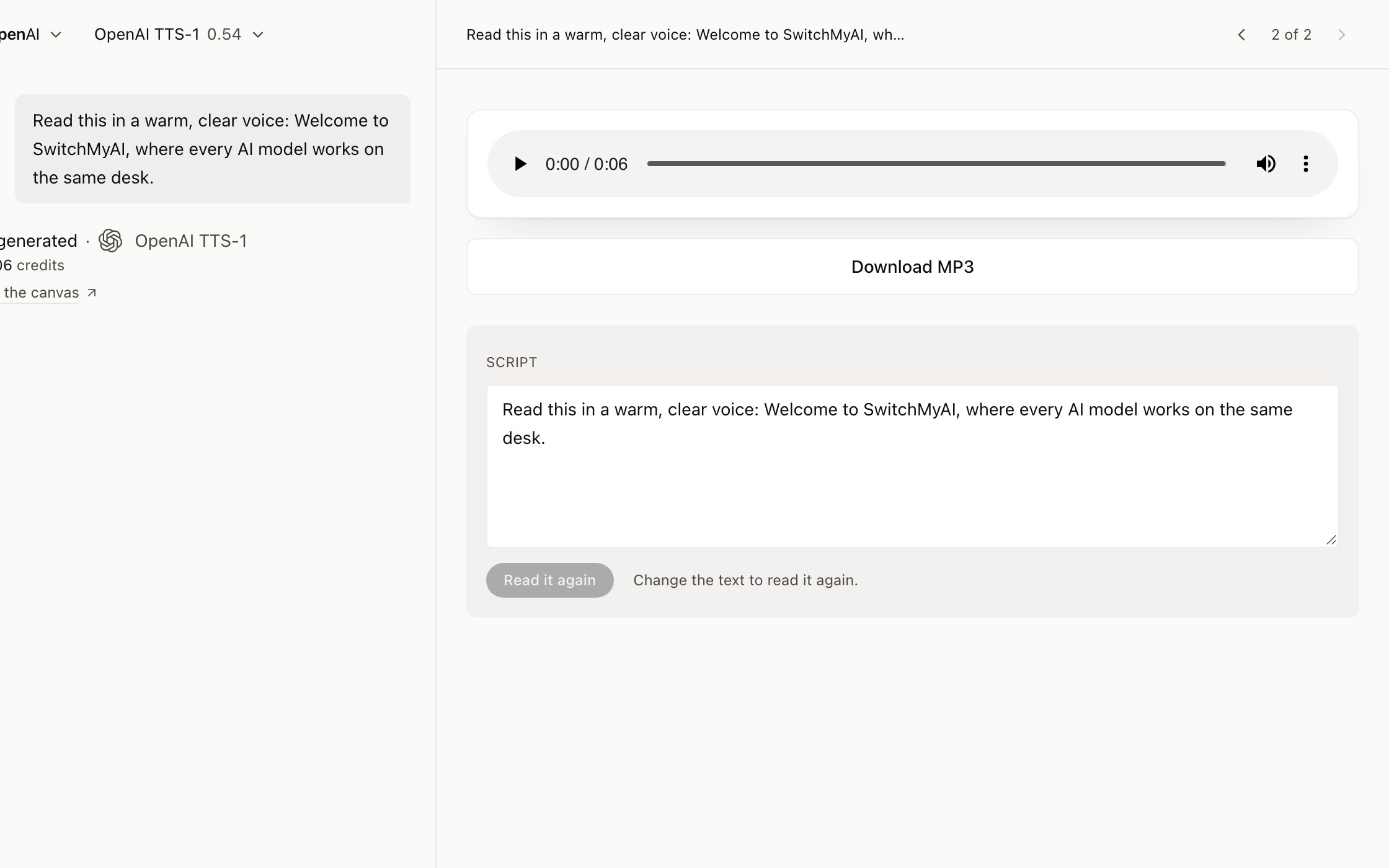
The desk starts with the request and nothing else, or with the chapter you left open. Ask for a document and the canvas opens with the text writing itself into a real editor — paragraph style, typeface, bold, lists, tables — where you keep working on it. Ask for a sheet or a deck and the canvas draws the sheet or the slides, not a document with a convert button at the end. Images open in a gallery, audio in a player. Every turn says what it cost, right under the answer.
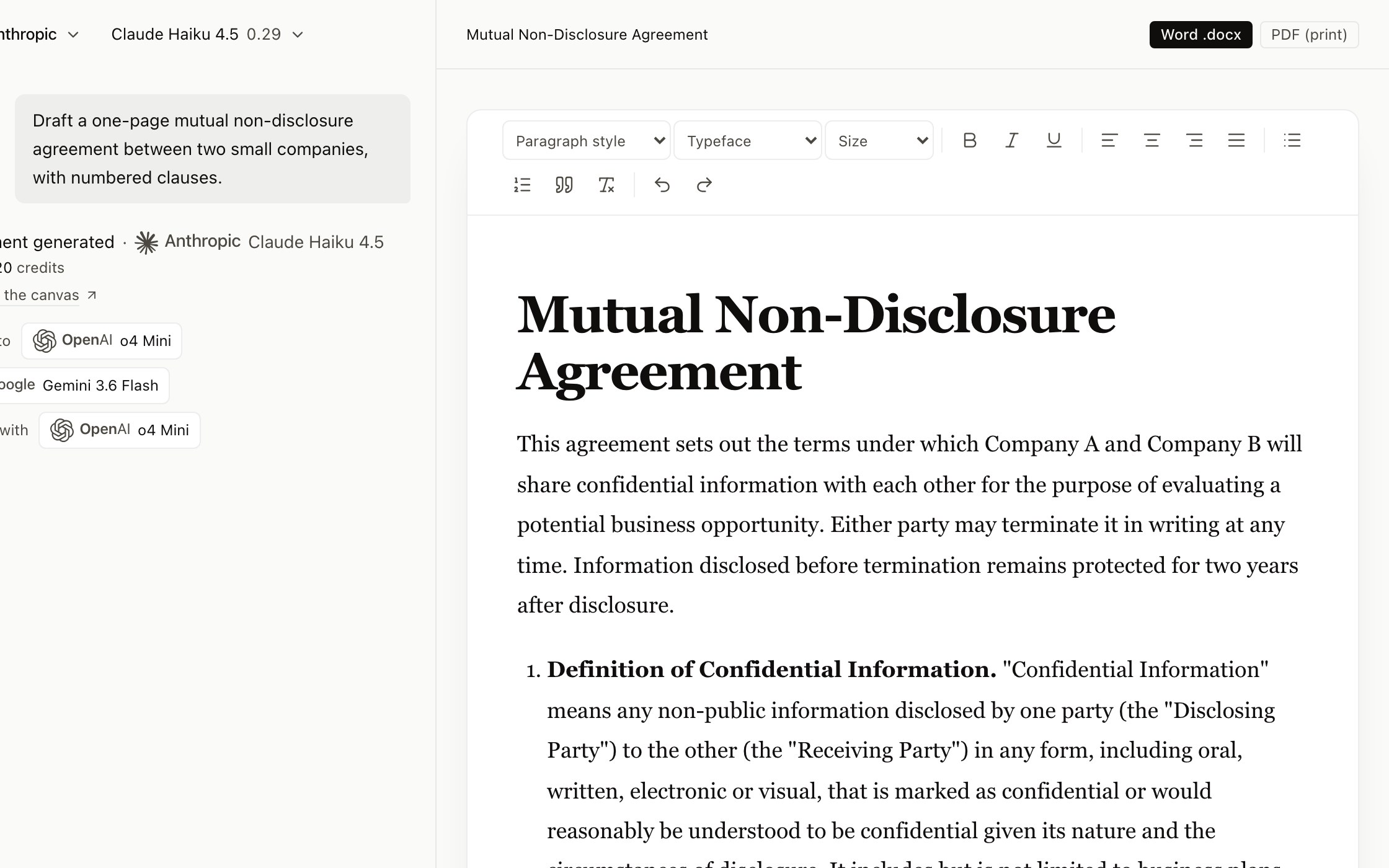
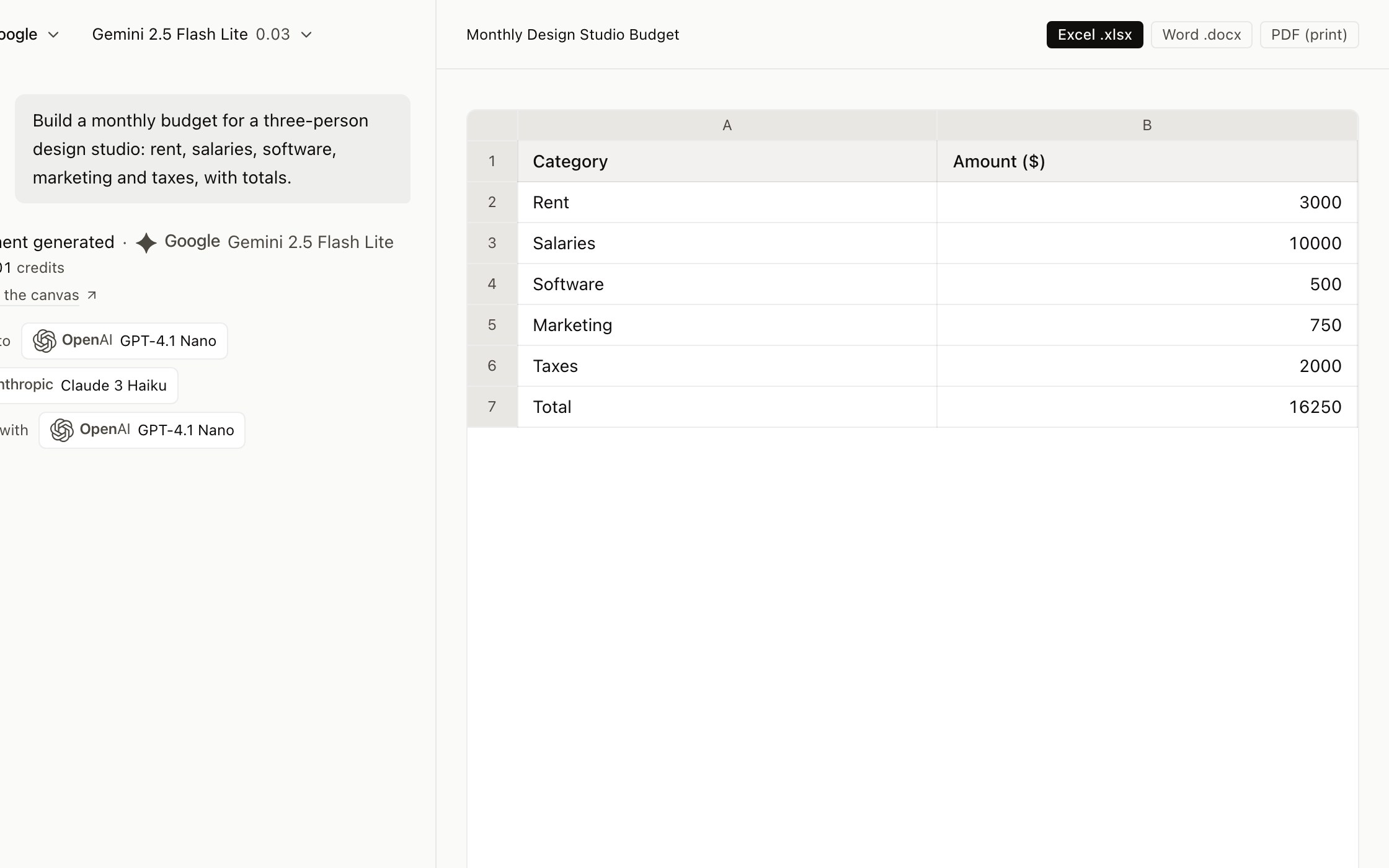
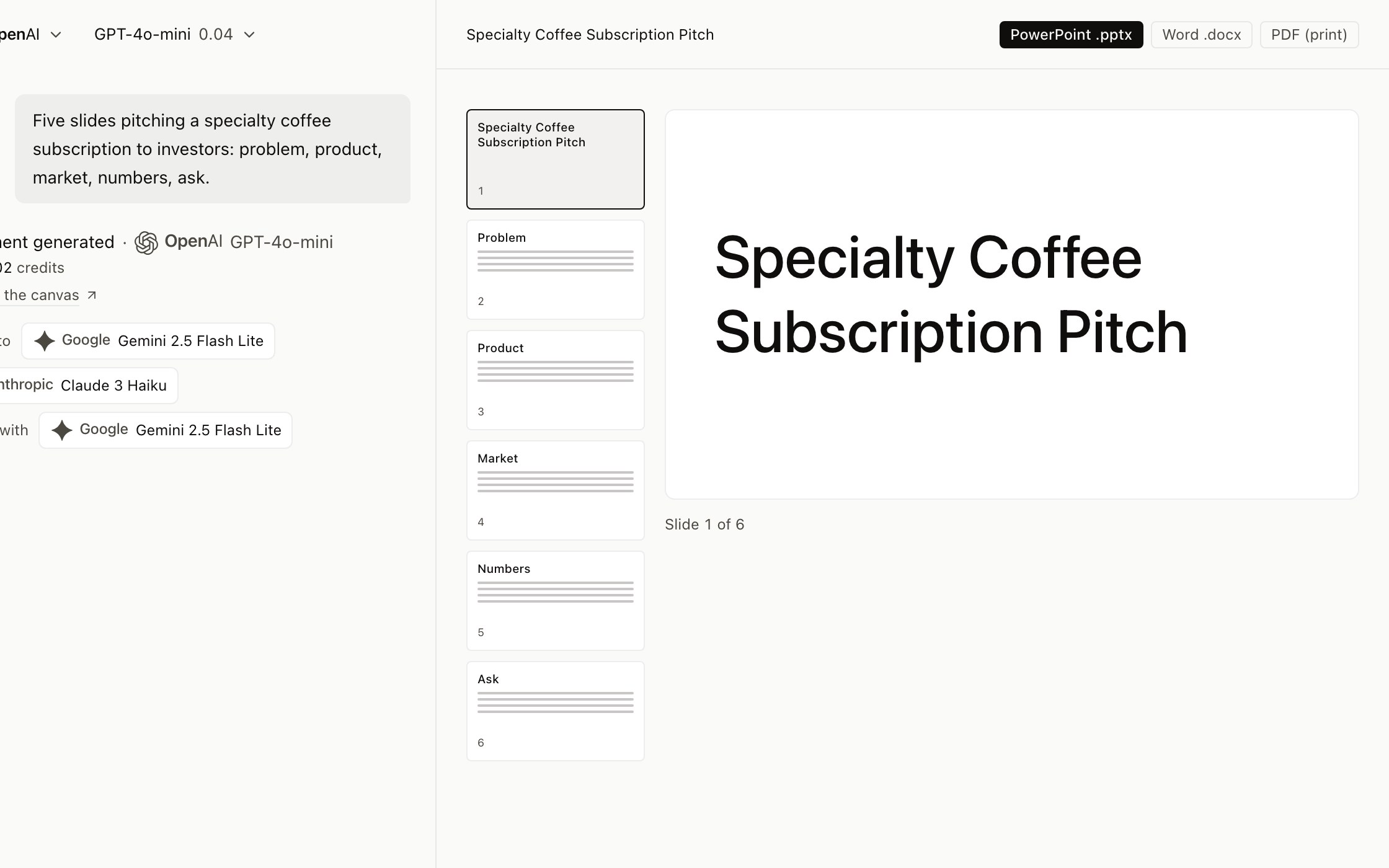
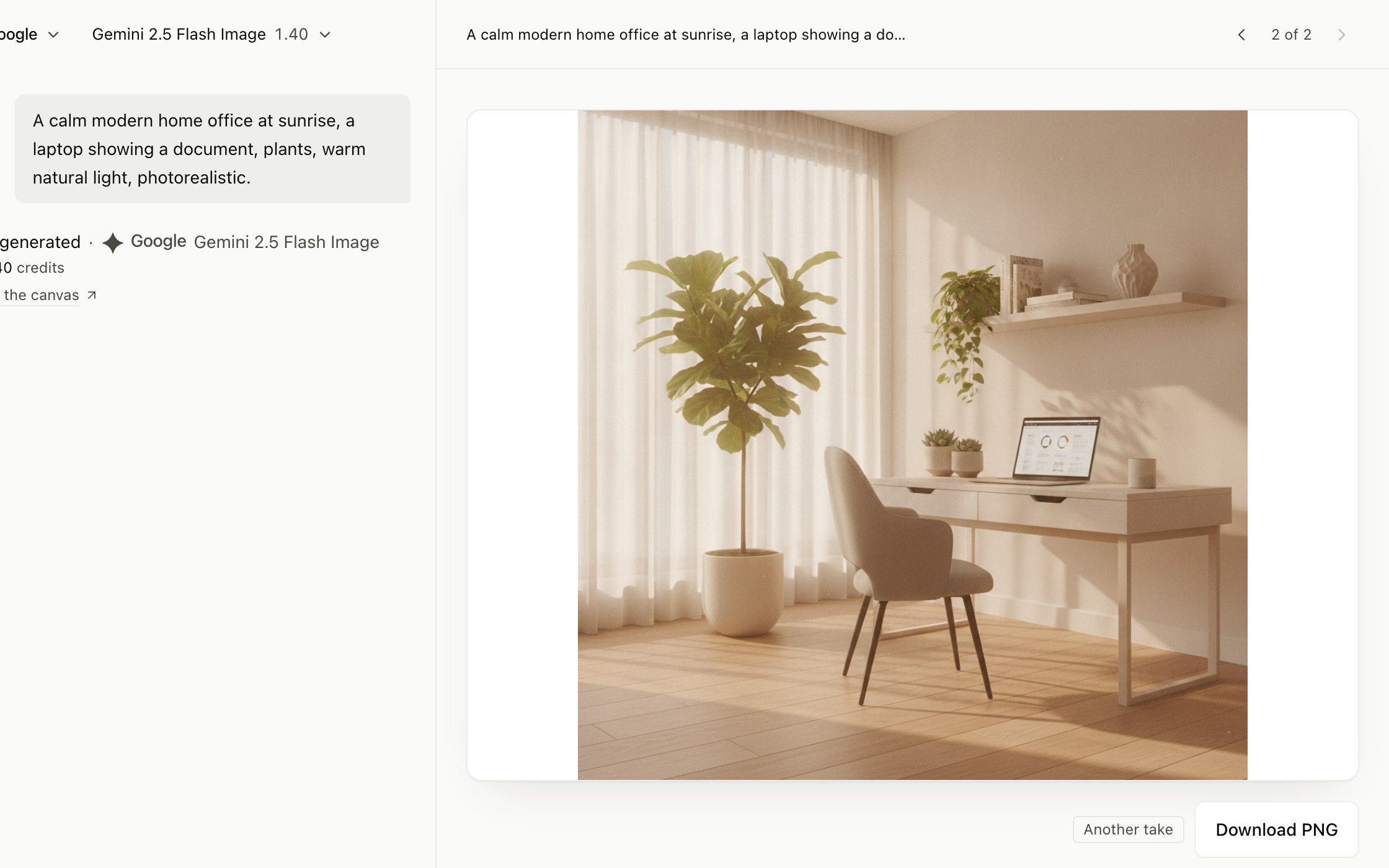
- It saves as you write
- What your own hand types saves itself: two seconds after you stop, twenty at most if you are writing without pause, and again when you switch tabs. There is no save button to forget, and if the network drops it retries until it lands.
- A book is chapters, not one enormous file
- A long text is split into chapters, each its own document, inside a named book in the left-hand bar. Each chapter can run on a different model and is reviewed on its own — which is also what keeps reviewing a book from costing a fortune. Mind you: a turn writes about three thousand words, so a chapter takes several turns.
- Pick the format before you ask
- Document, spreadsheet, presentation or PDF, chosen next to the request. The format changes what the model is asked to write and what the canvas draws, and the price on the button takes it into account.
- The file you hand in
- Word, Excel, PowerPoint and PDF, built in the browser from what is on screen: the button for the format you chose is the highlighted one, and Excel or PowerPoint join it when the content has tables or slides. Images and audio download in the format the model delivers them in.
- Bring your own document
- Attach a file and it is read in your browser, and only its text travels: to our server to work out the price while you write, and to the model when you press send. A scanned page is sent to be read only if you ask for it.
- Search the web, when you ask for it
- A switch next to the request, off by default because searching costs: turning it on holds extra credit, and the answer lists the pages it read when the model returns them. Only the models whose rate allows it offer the switch.
- The price is on the button
- What this request will cost, on the send button while you write it, from the same function that charges. A long document costs more than a short question, and you see that before, not after.
How you pay
One balance for every model. Fill it monthly, or once.
A credit is the unit. Every turn takes what its model costs and nothing else changes that — not the plan, not the month, not how much you have used. There are two ways to fill the balance, and both open the same catalogue.
Subscribe, and get more for the same money
A monthly plan lands credits at the start of each cycle — +10% more than the same amount paid once. It is for anyone who would rather not think about topping up, and it is the one we recommend.
| A month | Credits | Paid once gives |
|---|---|---|
| $10 | 110+10% bonus | 100+10 |
| $20 | 220+10% bonus | 200+20 |
| $50 | 550+10% bonus | 500+50 |
- More credits than the same amount paid once, on every plan: the table says exactly how many more.
- They arrive on their own at the start of each month.
- Cancel from your own account, in one click, whenever. The credits of a month are spent that month, with three days of margin.
Or top up once, and keep the credits
Every top-up buys credits at the same rate, and the larger ones add bonus credits that grow with the amount. Nothing renews, and there is nothing to cancel.
| Paid once | Credits |
|---|---|
| $5 | 50 |
| $10 | 100 |
| $20 | 200 |
| $50 | 500 |
| $100 | 1,000 |
| $200 | 2,100+5% bonus |
| $500 | 5,500+10% bonus |
| $1,000 | 11,500+15% bonus |
- What you buy does not expire while your account is open.
- A month you don’t use it costs nothing, because nothing is running.
- The larger top-ups add bonus credits; the table shows which, and how much.
Before any of that: 20 free credits the moment you verify your email. No card, one per account, and they don’t expire.
The most expensive models in the catalogue are marked “Paid accounts” in the picker. Any payment opens them — a plan or a top-up, whichever comes first. Free accounts have the rest of the catalogue.
Who is behind it
A company that publishes its numbers.
SwitchMyAI is operated by JDM Legal Tech. Every figure on this site comes from the same table that charges you. You sign in with Google, with Apple, or with a six-digit code sent to your email, and once inside you can create a password if you prefer.
Your text goes only where you send it
The text of a turn goes to the house you chose for that turn and to no other. Switch models and the next turn goes to the next house. Nothing is sent to a house you did not pick.
What we do not promise
Each house sets its own terms for text sent through its API, and we have signed none of them. So there is no sentence here about training or retention that a contract does not back.
Start with a blank page.
20 free credits when you verify your email. No card.